Delete Your Account
Follow the steps below to remove your account from Ride Tracker Pro
To request to have your account removed from the app, please follow the steps below within the Ride Tracker Pro app. This process will permanently delete your account and all associated data.
1
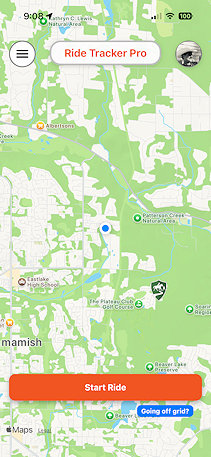
Open Your Profile
Tap your profile image to access your account settings where you can delete your account.
2
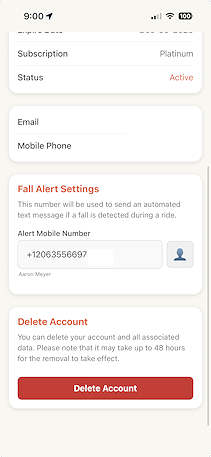
Find the Delete Button
Scroll to the bottom of the page and you'll see a "Delete Account" button.
3
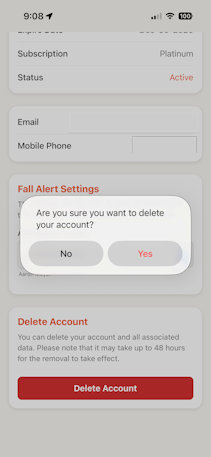
Confirm Deletion
You'll get a confirmation asking if you really wish to delete the account. Confirm to proceed.
Processing Time
Please note that it can take up to 48 hours for your account to be completely removed from our system. During this time, you will not be able to create a new account with the same email address.